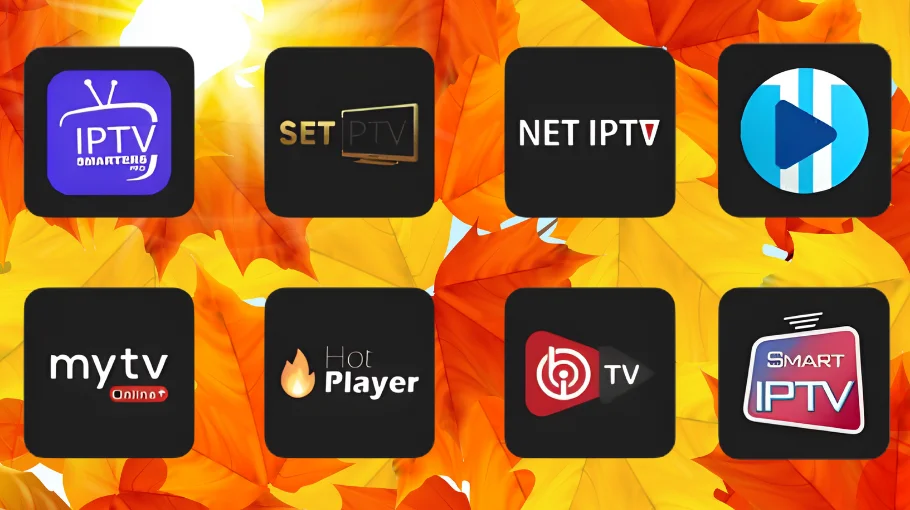
IPTV Player: Best Players for Firestick, Android TV & iPhone (2026)
Start with our main hubs:
Homepage,
IPTV UK guide,
and
Pricing.
Then use this guide to pick the right IPTV player for your device in 2026 — Firestick, Android TV, iPhone, Windows, and Smart TVs.
Choosing the right IPTV player makes a massive difference. Pick the wrong one and you’ll fight buffering, messy EPG, or missing features.
Follow this and you’ll match the best app to your setup — no messing about.
What Makes a Good Streaming App?
Before diving into specific options, it helps to know what actually matters in a good IPTV player app.
Essential Features
Any decent IPTV player app needs these basics:
Supports M3U and Xtream Codes
Proper EPG support
Adjustable buffer settings
Multiple video decoder options
Channel organization / favorites
Parental controls
Nice-to-Have Features
Premium features that elevate top streaming apps:
Recording capability
Catch-up TV support
Multi-view (picture-in-picture)
Chromecast / AirPlay support
Custom themes / interface
Best IPTV Player for Each Device
Different devices suit different apps. Here’s what actually works best on each platform.
Cost: Free (one playlist) or £4–£5/year premium Verdict: Best choice for Firestick. Premium is worth it.
Best for iPhone/iPad: GSE Smart IPTV
GSE Smart IPTV wins for iOS. Official App Store availability keeps setup simple.
Follow our
GSE Smart IPTV setup guide.
Why it’s best
Official Apple App Store app
Works on iPhone, iPad, Apple TV
AirPlay support built-in
Clean iOS-style interface
Cost + verdict
Cost: Free or £6–£7 Pro Verdict: Perfect for Apple ecosystem. Free is enough for most.
Best for Android TV: TiviMate
TiviMate wins again on Android TV boxes, NVIDIA Shield, and Chromecast with Google TV.
It’s designed for TV remotes and big screens.
Best IPTV Player for Windows: IPTV Smarters Pro
IPTV Smarters Pro is the easiest winner for Windows — free, feature-rich, and reliable.
For features and login methods, see our
IPTV Smarters Player guide.
Best for Samsung/LG TVs: Smart IPTV
For native Smart TV support, Smart IPTV is a strong option.
Setup walkthrough here:
Smart IPTV setup guide.
One-time activation (£5–£6) makes sense if you want a native TV app without adding a streaming device.
Alternative Options Worth Considering
Not everyone needs the absolute best. These alternatives can work well depending on your device and priorities.
Professional-grade Android app with advanced features, but more complex for beginners.
How to Choose Your Streaming App
A simple decision framework based on your device, budget, and priorities.
By Device Type
Firestick / Android TV → TiviMate
iPhone / iPad → GSE Smart IPTV
Windows PC → IPTV Smarters Pro
Samsung / LG TV → Smart IPTV
By Budget
Free only
IPTV Smarters Pro (feature-rich) or VLC (basic).
Paid
One-time: Smart IPTV (TV) or GSE Pro (iOS) Yearly: TiviMate Premium (best value)
By Priority Features
Best EPG: TiviMate
Most features: TiviMate Premium / OTT Navigator
Simplest setup: GSE Smart IPTV (iOS) or IPTV Smarters Pro
Recording: TiviMate Premium or GSE Pro
If you’re evaluating a provider before you commit, use
IPTV free trial
to test stability and peak-hour performance.
Common Problems Across All Apps
These issues usually come from network, settings, or the provider — not the IPTV player itself.
For deeper fixes, follow our
IPTV buffering fixes guide.
Buffering Issues
📶
Symptoms
Video freezes or pauses every few seconds
Quality drops during peak hours
Streams start, then stop repeatedly
🛠️
Solutions
Increase buffer size to 15–20 seconds
Use ethernet if possible
Try a different video decoder
Test a different channel to isolate the issue
EPG Not Loading
🗓️
Symptoms
Guide is blank or missing program info
Programs show wrong times
EPG stays stuck on “loading”
✅
Solutions
Wait 30–60 seconds after adding the playlist
Force EPG refresh in settings
Verify timezone settings
Confirm your provider includes EPG
If the issue looks like a provider/server problem, use
IPTV Down
to check if it’s your app, internet, or server.
FAQ: IPTV Player
TiviMate for Android devices (Firestick, Android TV boxes). GSE Smart IPTV for iOS. Your device determines the best choice.
Yes. IPTV Smarters Pro is free and feature-rich. TiviMate free version works with one playlist. VLC is solid for basic playback.
No. IPTV players are just apps. You still need M3U or Xtream Codes from an IPTV provider (the content is separate).
TiviMate. Its EPG is cleaner, smoother, and easier to navigate than most alternatives.
A VPN can improve privacy. Most IPTV apps work fine with VPNs — the VPN choice matters more than the player itself.
Final Recommendations
If you’re on Firestick or Android TV, get TiviMate. iOS users: GSE Smart IPTV. Windows PC: IPTV Smarters Pro.
Samsung/LG Smart TVs: Smart IPTV is the clean native route.
Don’t overthink it — match your device to the recommendation and you’re sorted.
The IPTV player is just the app; quality still depends on your provider.
 Skip to content