IPTV

UK Focus • Channels • EPG • 4K • Reliability

British IPTV: What’s Included + Reliability Checklist (Channels, EPG, 4K)

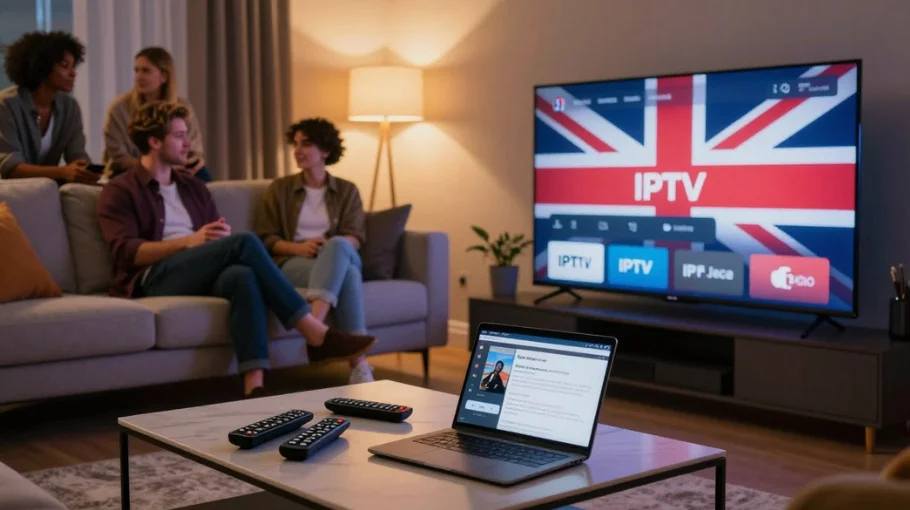
British IPTV reliability checklist image showing UK IPTV interface on a TV with channel tiles, EPG-style menu and a living room setup

Start here: Homepage and our main hub: IPTV UK guide. This guide explains what a quality UK-focused service includes (channels, EPG, 4K), plus a reliability checklist you can use before paying.

View Plans & Pricing Fast activation • UK channel focus • Real human support

Want a fast way to spot “premium” vs average providers? Read: Best IPTV UK Provider: what “premium” really means.

What Is British IPTV?

British IPTV usually means a UK-focused service that prioritises British channels and UK viewing habits: stable sports streams, proper UK EPG mapping, and a channel lineup that actually matches what UK users watch.

UK-focused content

Expect strong coverage of UK entertainment and sports (Sky Sports, TNT/BT Sport equivalents, BBC/ITV/Channel 4/5 networks), plus UK-friendly EPG categories and logos.

  • Sports bundles mapped correctly (not random categories)
  • EPG updates regularly and matches UK time
  • Peak-time stability matters more than “huge channel counts”
Box vs subscription

You’ll see “British IPTV box” offers everywhere. Most are just pre-configured Android boxes. Subscription-only is usually better value because you can use your own devices and choose your preferred app.

  • Box bundles: £80–£150 (hardware + pre-installed apps)
  • Subscription-only: typically £10–£15/month (more flexible)
If you’re comparing providers, this helps: IPTV Providers in UK comparison.

What’s Included in Quality Services

Quality British IPTV packages usually include a clean UK channel lineup, solid EPG, and consistent HD performance — with 4K offered only for selected channels/events.

UK Sports Coverage

What to expect
  • Strong football coverage (Premier League focus)
  • Dedicated sports categories + stable streams
  • Backup streams for big match days
How to verify

Test during peak demand. If you’re specifically watching leagues like EFL, use: Best IPTV for EFL.

Entertainment, Movies and VOD

Typical inclusions
  • UK entertainment categories (series + films)
  • VOD library (quality varies by provider)
  • Catch-up on selected channels (when supported)
How to verify

Don’t judge by “library size” alone — check if posters load quickly, search works, and playback starts fast.

EPG Quality (Usability)

Quality EPG includes
  • 7-day schedule where available
  • Channel logos + correct mapping
  • Accurate “now/next” timing
  • Regular updates (every 6–12 hours)
How to verify

Open the guide and scan 10+ channels. If EPG is blank or wrong, it will be painful daily.

HD and 4K Quality

Reality check
  • HD (1080p) is the true baseline
  • 4K is often limited to certain channels/events
  • Adaptive bitrate helps on weaker connections
How to verify

Test at 7–10pm. If it can’t hold stable HD at peak time, “4K” claims don’t matter.

Reliability Checklist for UK Services

Use this checklist before subscribing. Read independent reviews (example: Trustpilot) — but always validate with a real trial on your own setup.

Server Uptime

What you want
  • Stable evenings (7–10pm)
  • Good match-day performance
  • Backup streams available
How to test

Trial during weekend football, big sports nights, and peak hours.

Buffering Performance

Acceptable standards
  • Initial load under ~5 seconds
  • No mid-stream buffering on HD
  • Smooth channel switching
  • Consistent quality at peak time
Fixes if it happens

Try these first: IPTV buffering fixes.

Channel Availability

What to verify
  • Key UK sports channels actually work
  • Free-to-air channels stable
  • Premium categories accessible
Quick check

If the channel list is huge but half the streams fail, it’s not a UK-focused service — it’s a messy resell.

Customer Support

What good support looks like
  • Reply within 24 hours (often faster)
  • Can troubleshoot device + app
  • Gives clear steps, not copy-paste spam
How to test

Ask a real question during the trial (EPG mapping, buffering, device setup) and measure the response.

Legal Awareness

Don’t ignore
  • Be cautious with “100% legal” claims
  • Check if terms/policies exist
  • Avoid sellers hiding behind DMs only
Helpful reading

Practical UK context: Is IPTV legal in UK? and reporting scams via Action Fraud.

If you want a “what to check before paying” master checklist, use: Best IPTV: 11 things to check.

Premium Features to Look For

Catch-Up TV

What it means
  • Replay shows from recent days (7–30 days)
  • Most useful on major UK channels
  • Easy timeline navigation
Verify

Test 3–5 channels in catch-up during trial. If it’s slow or missing, don’t pay extra for it.

Multi-Device Support

What to expect
  • 2 connections is common
  • Higher tiers offer 3–5+
  • Works across Firestick/Android/iOS
Verify

Confirm the plan allows the number of connections you need (and what “connection” means).

Recording and Time-Shift

Options
  • Cloud recording (provider-dependent)
  • Local recording via app/device
  • Time-shift (pause/rewind live TV)
Verify

Recording depends on both app + provider streams. Always test first with a short recording.

Common Problems and Fixes

Sports Channels Buffering

Symptoms
  • Freezes during major matches
  • Quality drops at peak time
  • Repeated rebuffering mid-stream
Solutions
  • Switch to backup stream/server (if available)
  • Use Ethernet instead of Wi-Fi
  • Increase buffer in your player settings
  • Apply the steps in our buffering guide

EPG Not Loading

Symptoms
  • Guide is blank
  • Wrong timings
  • Data doesn’t refresh
Solutions
  • Force EPG refresh in the app
  • Check timezone settings
  • Clear app cache and restart
  • Ask support for the correct EPG source/mapping

Channel List Issues

Symptoms
  • Channels missing
  • Wrong categories
  • Old playlist structure
Solutions
  • Re-download/reload the playlist
  • Confirm subscription is active
  • Update your IPTV player
  • Ask for an updated M3U/Xtream endpoint
If your app itself is acting up, check: IPTV Smarters Not Working (general troubleshooting that often applies across apps).

FAQ: British IPTV

A service focusing on UK channels and UK viewing experience (sports stability, UK EPG mapping, British categories). It’s different from generic providers that just “add some UK channels”.
Usually no. Box bundles are often just pre-configured Android boxes. Subscription-only tends to be better value because you can use Firestick/Android TV you already own and choose the player you prefer.
Use the reliability checklist in this article, test a trial at peak time, and verify EPG accuracy and sports stability. For a broader comparison view, use our IPTV UK guide.
Some providers offer 4K on selected channels/events, but not everything is 4K. HD is the baseline. Don’t pay extra unless you specifically need 4K events.
Depends on the plan. Many allow 2 connections; higher tiers allow 3–5+. Always confirm how many concurrent streams are included.
Avoid providers with consistent patterns of complaints (buffering at peak time, missing channels, no support). Validate with your own trial — one-off complaints happen, patterns matter.
£10–£15/month is typical. Quarterly £25–£40, yearly £60–£100. Box bundles cost more upfront. Avoid “lifetime” deals.
For a full UK overview and comparisons, start here: IPTV UK guide.

Final Recommendations

Proper UK-focused services prioritise stable British content: sports streams that hold up at peak time, EPG that’s accurate, and a channel lineup that actually works (not just a list on a sales page).

Avoid overpriced “box bundles” unless you truly need the hardware. A trial is non-negotiable — test evenings, match days, and support response before you pay.

If your main goal is watching UK sports smoothly, combine the checklist here with the peak-time test steps in your trial.
Scroll to Top