IPTV

IPTV Sports: What to Check for Live Sports (Stability, Latency, 50fps)

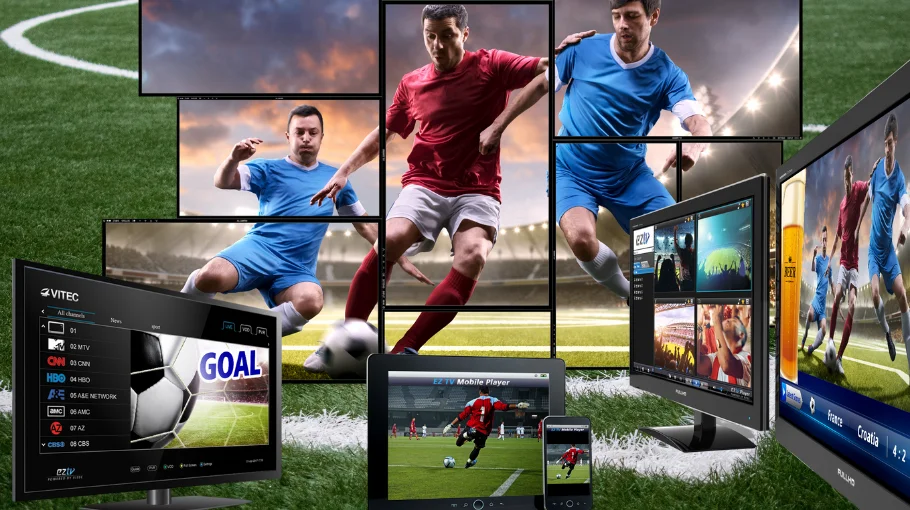
IPTV Sports stability checklist image showing live football streaming across multiple screens with low-latency playback and smooth 50fps motion

IPTV sports streaming requires specific features beyond regular TV viewing. Live matches demand stability, minimal latency, proper frame rates, and reliable EPG.

This guide covers exactly what makes the best IPTV for sports in 2026, critical technical requirements, and how to evaluate providers for live sports streaming. Official UK sports broadcasting standards set expectations for quality.

Follow this and you'll understand exactly what separates quality IPTV sports services from rubbish ones.

For comprehensive UK provider comparisons including IPTV sports UK options, visit our IPTV UK guide and homepage.

Ready for live sports with stability + 50fps? Get your access. Low-latency • Match-day stability • Real support

Why Sports IPTV Differs from Regular Streaming

Live sports have unique technical demands. Requirements exceed standard TV viewing.

Real-Time Delivery Critical

IPTV sports streams must deliver events as they happen. Delay ruins experience - neighbours cheering before your goal appears.

Latency requirements:

  • Under 10 seconds ideal
  • 10-30 seconds acceptable
  • Over 30 seconds problematic
  • 60+ seconds unusable for live matches

Frame Rate Matters

Fast motion in sports requires proper frame rates. Sky Sports and BT Sport broadcast at 50fps for UK matches.

Frame rate standards:

  • 50fps: UK sports standard (essential)
  • 30fps: Acceptable minimum
  • 25fps: Poor (stuttery motion)
  • Variable fps: Avoid completely

Peak Load Stability

Match days create massive demand spikes. Saturday 3pm, Champions League evenings, major finals stress systems.

Critical test periods:

  • Premier League Saturdays (12:30pm-5:30pm)
  • Champions League nights (8pm kick-offs)
  • International tournament finals
  • Cup final weekends

Best IPTV for Sports: Essential Features

Specific requirements separate quality IPTV sports UK providers. Compare with our EFL IPTV guide.

Complete Sports Channel Package

UK sports viewing requires specific channels. Partial packages frustrate.

Essential UK sports channels:

  • All Sky Sports channels (1-11)
  • BT Sport complete lineup
  • Premier Sports 1, 2
  • Eurosport 1, 2
  • Racing channels (if relevant)

Backup Servers

Primary stream fails? Backup servers save the match. Essential for best IPTV for sports reliability.

  • Multiple server options per channel
  • Quick switching capability
  • Geographic redundancy
  • Automatic failover ideal

Accurate Sports EPG

Finding matches requires proper Electronic Program Guide. Sports fixtures change frequently.

EPG requirements:

  • Updates every 6 hours minimum
  • Shows rescheduled fixtures
  • 7-day advance schedule
  • Team names and competition
  • Correct kick-off times

HD/4K Quality

Sports demand high quality. Reading player names, following ball movement requires clarity.

Quality tiers:

  • HD (1080p 50fps): Minimum acceptable
  • Full HD (1080p 50fps): Standard for IPTV sports
  • 4K (2160p 50fps): Premium offering
  • HDR support: Rare but excellent

Catch-Up and Recording

Missed kick-off? Catch-up essential. Recording lets you watch later.

  • 7-day catch-up standard
  • Recording capability (some providers)
  • Start from beginning during live
  • Pause/rewind live matches

IPTV Sports UK: Testing Checklist

Use this before subscribing. Check Trustpilot reviews for sports-specific feedback from users.

1. Stream Stability Test

Watch full 90-minute match. Note any buffering, freezing, quality drops. For fixes, see our buffering guide.

Watch for:

  • Buffering frequency (none ideal)
  • Buffering duration (under 3 seconds)
  • Complete stream dropouts
  • Quality degradation patterns

2. Latency Measurement

Compare IPTV sports stream to official broadcast timing.

Test method:

  • Watch IPTV on one screen
  • Compare to Sky/BT broadcast or radio
  • Note delay in seconds
  • Under 10 seconds excellent

3. Peak Time Performance

Saturday afternoon football creates maximum load. Critical test for IPTV sports reliability.

Test during:

  • Premier League Saturdays
  • Champions League evenings
  • International match days
  • Major sporting events

4. Multi-Channel Switching

Multiple matches simultaneous? Switching speed matters.

  • Switch between sports channels
  • Note loading time (under 3 seconds ideal)
  • Test during peak periods
  • Verify no stream interruption

5. Sports IPTV Free Trial Evaluation

Never subscribe without testing. Sports IPTV free trial essential for proper evaluation.

Trial requirements:

  • 24-48 hours minimum
  • Full sports channel access
  • Test during live matches
  • Weekend testing crucial

Common IPTV Sports Problems

Issues affecting live sports viewing. For consumer protection, see Which? advice.

Buffering During Critical Moments

Most frustrating issue. Stream freezes during goals, penalties, crucial plays.

Causes
  • Server overload during peaks
  • Insufficient internet speed
  • Poor WiFi signal
  • Provider quality issues
Solutions
  • Switch to backup server
  • Use ethernet connection
  • Increase buffer settings
  • Change provider if persistent

Significant Stream Delay

Goal notifications arrive before seeing it happen.

Details
  • Inherent in IPTV streaming
  • Usually 10-30 seconds behind
  • Disable phone notifications
  • Accept or use traditional broadcast
Tip
Latency cannot match satellite/cable timing—test and decide what you can tolerate.

Poor Picture Quality

Blurry image, low frame rate, compression artifacts.

Checks
  • Request HD/4K stream
  • Verify internet speed (25Mbps+ for HD)
  • Check provider offers HD sports
  • Try different server
Note
For sports, 1080p 50fps usually beats “fake 4K” with heavy compression.

Match Not Found in EPG

Fixture scheduled but doesn't appear.

Causes
  • EPG not refreshed
  • Fixture not actually broadcast
  • Timezone mismatch
  • Provider schedule error
Solutions
  • Force EPG refresh
  • Check fixture actually broadcast
  • Verify timezone settings
  • Contact provider about schedule

FAQ: IPTV Sports

Services with complete Sky Sports and BT Sport packages, 50fps streaming, backup servers, under 15-second latency. Test during peak times. See our IPTV UK guide for recommendations.
Depends on provider. Legal services pay broadcast rights. Many IPTV services operate illegally. Understand risks before subscribing. Consumer responsible for using legitimate providers.
Server overload during exciting moments when everyone watching. Switch to backup server immediately. Use ethernet not WiFi. Increase buffer settings. Consider better provider if persistent.
10-30 seconds typical for IPTV sports streaming. Under 10 seconds excellent. Over 30 seconds poor. 60+ seconds unusable. Inherent in internet streaming - cannot match traditional broadcast.
Yes, essential for smooth motion. UK sports broadcast at 50fps. Lower frame rates cause stuttery movement. Ball tracking becomes difficult. 30fps minimum acceptable, 50fps ideal for best IPTV for sports.
Absolutely essential. Never subscribe without testing during live matches. Weekend testing crucial. Verify your specific sports channels work. Test during peak times. 24-48 hours minimum trial needed.
Some providers offer 4K on selected matches. Not all events broadcast in 4K. Requires fast internet (50Mbps+), 4K capable device. HD 1080p 50fps more widely available and sufficient.

Final Recommendations

Right, straight talk about IPTV sports in 2026. Live sports streaming demands more than regular TV. Higher stakes when match quality matters.

Complete Sky Sports and BT Sport package non-negotiable for UK viewers. Partial packages leave you searching for matches. Verify all channels working before subscribing.

Stream stability during peak times critical. Saturday afternoon football tests every provider. Champions League evenings create massive load. Major finals stress systems hardest.

Sports IPTV free trial absolutely essential. Test during actual matches you care about. Weekend testing crucial. Midweek matches don't represent peak demand.

Backup servers save matches. Primary stream dies during penalty? Switch instantly to backup. Providers without backup servers unusable for serious sports fans.

50fps essential for smooth sports. UK broadcasts at this rate. Lower frame rates create stuttery motion. Ball becomes hard to track. 30fps absolute minimum, 50fps ideal. If you're watching on Android TV / Firestick, using the right player helps a lot — see our TiviMate IPTV Player guide.

Latency inherent in IPTV. Accept 10-30 second delay or stick with traditional broadcast. Cannot match satellite/cable timing. Disable phone notifications to avoid spoilers.

Ethernet connection over WiFi. Buffering during critical moments kills experience. Wired connection eliminates WiFi interference. Worth cable run for serious viewing. If you're using Firestick, this setup can help too: IPTV Firestick guide.

EPG accuracy matters for sports. Fixtures reschedule constantly. Good providers update every 6 hours. Poor EPG means missing matches completely.

HD minimum, 4K nice but rare. Most UK sports broadcast 1080p. 4K limited to select matches. Don't pay premium for 4K if rarely available. If you want a broader “provider quality” checklist, use: Best IPTV checklist.

Catch-up and recording useful for missed matches. 7-day catch-up standard. Start from beginning during live helpful. Not all providers offer these features.

Customer support critical during matches. Stream fails at kick-off? Need immediate help. WhatsApp/Telegram response faster than email. Test support before major fixtures. For UK-focused expectations (channels + EPG + reliability), see: British IPTV guide.

Finding reliable IPTV sports takes effort. But quality providers exist. Use this checklist, test thoroughly during sports IPTV free trial, and you'll find proper match coverage.

Scroll to Top