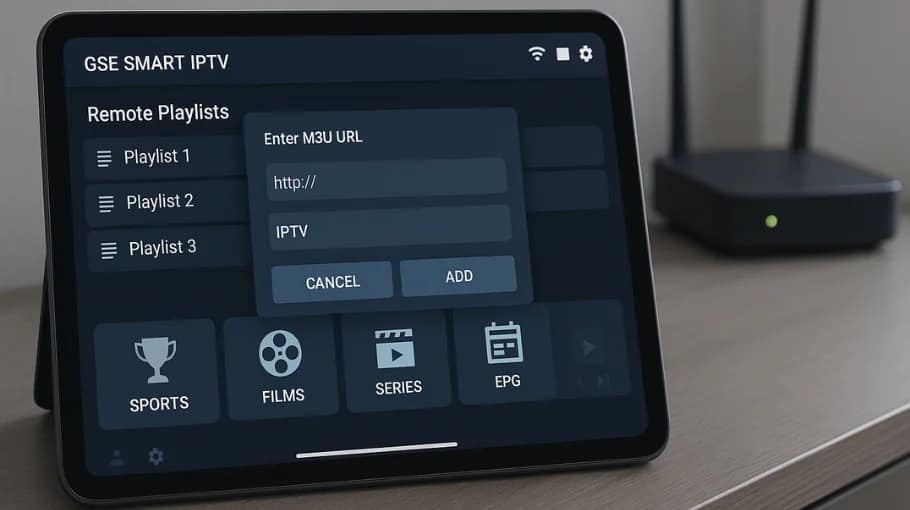
IPTV GSE Smart IPTV is brilliant for iOS users who want proper IPTV streaming. Unlike most IPTV apps, it's officially available in the App Store, making installation straightforward.
This complete IPTV GSE Smart IPTV guide covers installation, configuration, playlist management, and troubleshooting for both free and Pro versions.
Follow this systematically and you'll have professional IPTV streaming on iPhone, iPad, or Android within minutes.
How IPTV GSE Smart IPTV compares to other IPTV players. For Smart IPTV comparison, see our
Smart IPTV guide.
vs IPTV Smarters Pro
GSE advantages
Official App Store availability
Better iOS integration
Cleaner interface
Smarters advantages
Completely free
More customization options
vs Smart IPTV
GSE advantages
Works on mobile devices
More features
Regular updates
Smart IPTV advantages
Native Smart TV support
One-time payment
FAQ: IPTV GSE Smart IPTV
Yes, basic version is completely free with occasional ads. Pro (£6–£7) removes ads and adds recording, advanced EPG and priority support.
Free version is sufficient for most users.
No. The app is just the player. You must provide an M3U playlist or Xtream Codes from your IPTV provider.
App and content are separate.
If you use IPTV daily, yes. No ads improves the experience and recording can be useful. Free version is fine if you don’t need those extras.
Check URL/credentials (no extra spaces), confirm internet is stable, test the M3U link in a browser, and verify your provider subscription is active.
If it still fails, delete and re-add the playlist.
Yes, there’s a dedicated Apple TV version. Install from the Apple TV App Store like you would on iPhone/iPad.
Great for big screen IPTV streaming.
Increase buffer to 15–20 seconds, use 5GHz WiFi, try the Software decoder on older devices, and close background apps.
For a full checklist, follow our buffering fixes guide.
Final Recommendations
Look, IPTV GSE Smart IPTV is brilliant for iOS users. Being officially in App Store makes it legitimate, easy to install, properly maintained.
Free version works perfectly fine. Unless ads bother you or you need recording, skip Pro. Save the £6–£7.
 Skip to content